2026-11-06 · 20 min read
Choosing a Database for Your Application: A Practical Guide
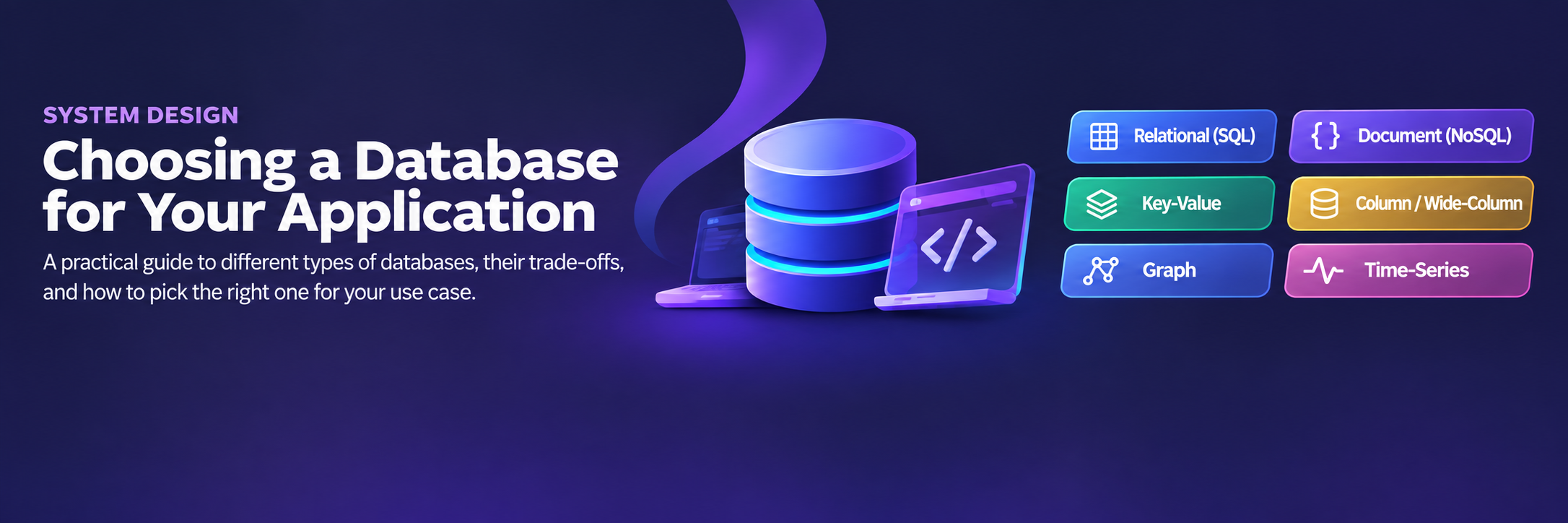
Explore SQL, NoSQL, key-value, document, graph, time-series, and other database types, and learn how to choose the right database based on scalability, consistency, data modeling, and real-world application requirements.
Imagine you're building an online store. You need to store customer accounts, orders, shopping carts, product descriptions, payment records, and search results.
Could you put all of that in one database? Absolutely. Should you use a different database for every feature? Usually not.
The best database isn't the one with the most impressive benchmark or the newest technology. It's the one that makes your application's most important operations correct, reliable, affordable, and understandable.
In this guide, we'll start with relational and non-relational databases, explore eight common database families, and then work through the decisions that matter in production: scaling, consistency, schema changes, deployments, backups, and recovery.
1. Start With the Questions, Not the Database Name
Before comparing products, write down how your application uses data.
- What is the data? Orders and payments, user profiles, event logs, relationships, or documents?
- How will it be queried? By ID, by date, with joins, by keyword, or by similarity?
- What must never go wrong? Can a stale product view be tolerated? Can an account balance be wrong?
- How much traffic and data? Think about read/write ratio, peak requests, data size, and growth—not just total users.
- How does the product change? Will fields and access patterns evolve every week?
- What can the team operate? A managed database may be worth more than theoretical maximum performance.
A useful default: For a new application with transactional business data, a managed relational database such as PostgreSQL is often a strong starting point. Add specialized stores when a measured requirement justifies them.
2. Relational vs. Non-Relational: The Foundation
Relational databases (SQL)
A relational database organizes data into tables, where rows represent records and columns represent fields. Tables can reference each other using keys.
For example, users contains customers and orders contains their purchases. An order stores a user_id that points to the corresponding customer.
Relational databases commonly offer SQL queries, joins, constraints, indexes, and transactions. ACID transactions help ensure a group of related changes is applied safely: atomicity, consistency, isolation, and durability.
Examples: PostgreSQL, MySQL, SQL Server, SQLite.
Non-relational databases (NoSQL)
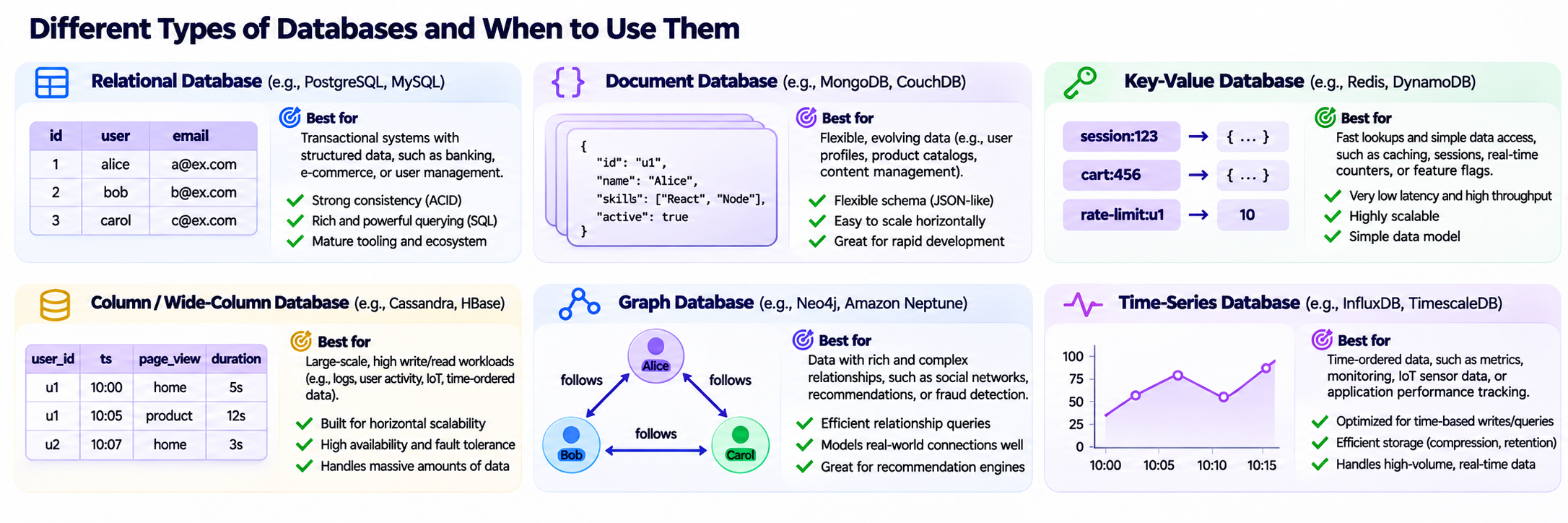
NoSQL is an umbrella term, not one storage format. Depending on the product, data may be stored as documents, key-value entries, wide-column partitions, or graphs.
These systems often optimize for particular access patterns, flexible data models, high write volume, or distributed operation. NoSQL does not automatically mean “no schema,” “eventually consistent,” or “infinitely scalable.” Those characteristics vary by database and configuration.
Examples: MongoDB, Redis, DynamoDB, Cassandra, Neo4j.
| Question | Relational | Non-relational |
|---|---|---|
| Typical model | Tables and relationships | Documents, keys, partitions, graphs, and more |
| Query strengths | SQL, joins, ad hoc analysis | Often optimized for specific access patterns |
| Schema | Usually explicitly managed | Varies: flexible to strictly modeled |
| Transactions | Often mature, broad support | Product-specific; some support ACID transactions |
| Scaling | Replicas, partitioning, sharding, vertical scaling | Often designed for distributed scaling, with trade-offs |
| Best starting question | Do relationships and transactions dominate? | Is there a specialized workload or access pattern? |
3. The Major Database Types, With Real Use Cases
3.1 Relational Databases: When Correctness and Relationships Matter
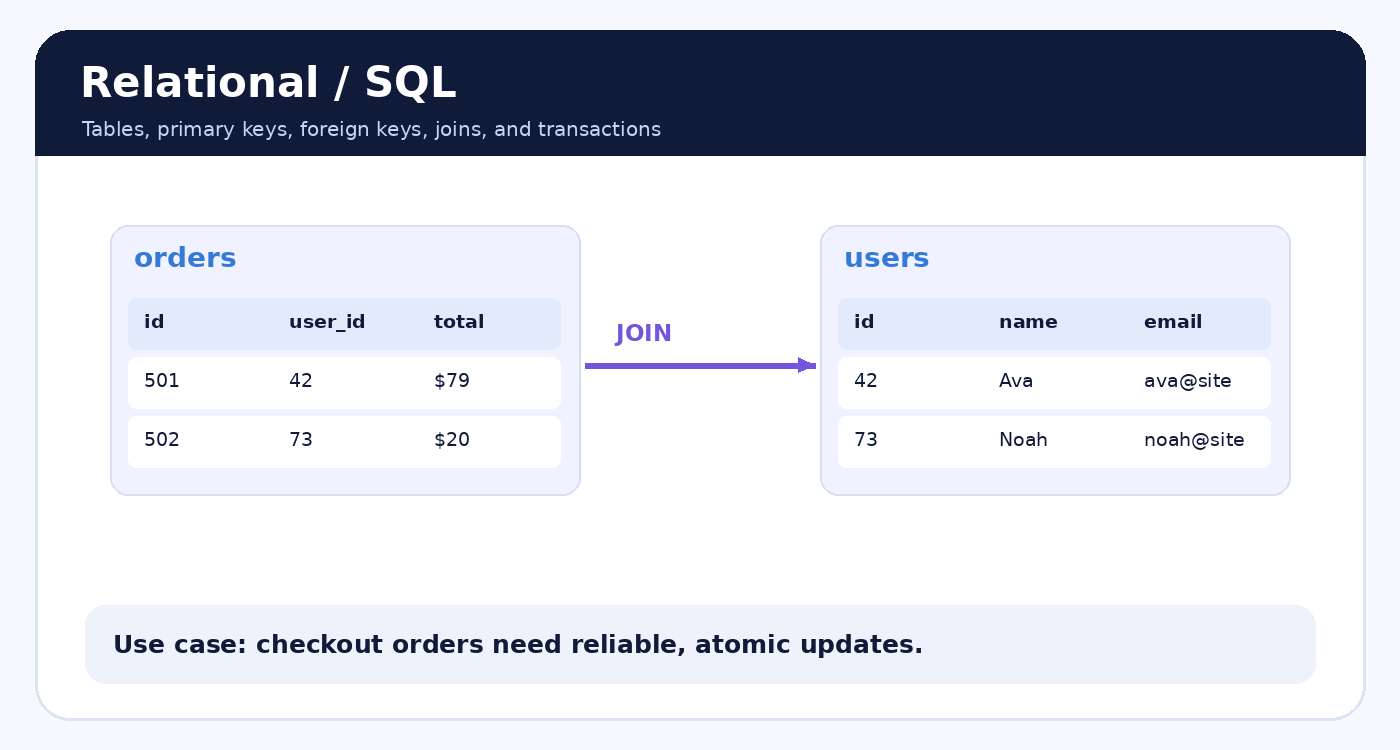
Scenario: An e-commerce checkout. A customer places an order, inventory is reserved, and a payment record is created. You don't want an order recorded without its related transaction, or inventory deducted twice.
A relational database is a natural fit because you can model the entities clearly, enforce constraints, and update related records within a transaction.
Choose it when:
- Your domain contains structured relationships: customers, invoices, subscriptions, bookings, or accounts.
- You need multi-record transactions and strong integrity constraints.
- Developers need flexible queries and joins as requirements change.
Trade-offs:
- Schema changes need planning, especially for very large tables.
- Scaling writes across many machines can be harder than adding read replicas.
- Poor indexes and expensive joins can cause serious performance problems.
Operational notes: Use indexes based on actual queries, test transaction isolation where concurrent updates matter, and plan migrations with backward-compatible application versions. PostgreSQL can also store JSON using jsonb, so you may not need a separate document database for every flexible field.
3.2 Document Databases: When Records Have Different Shapes
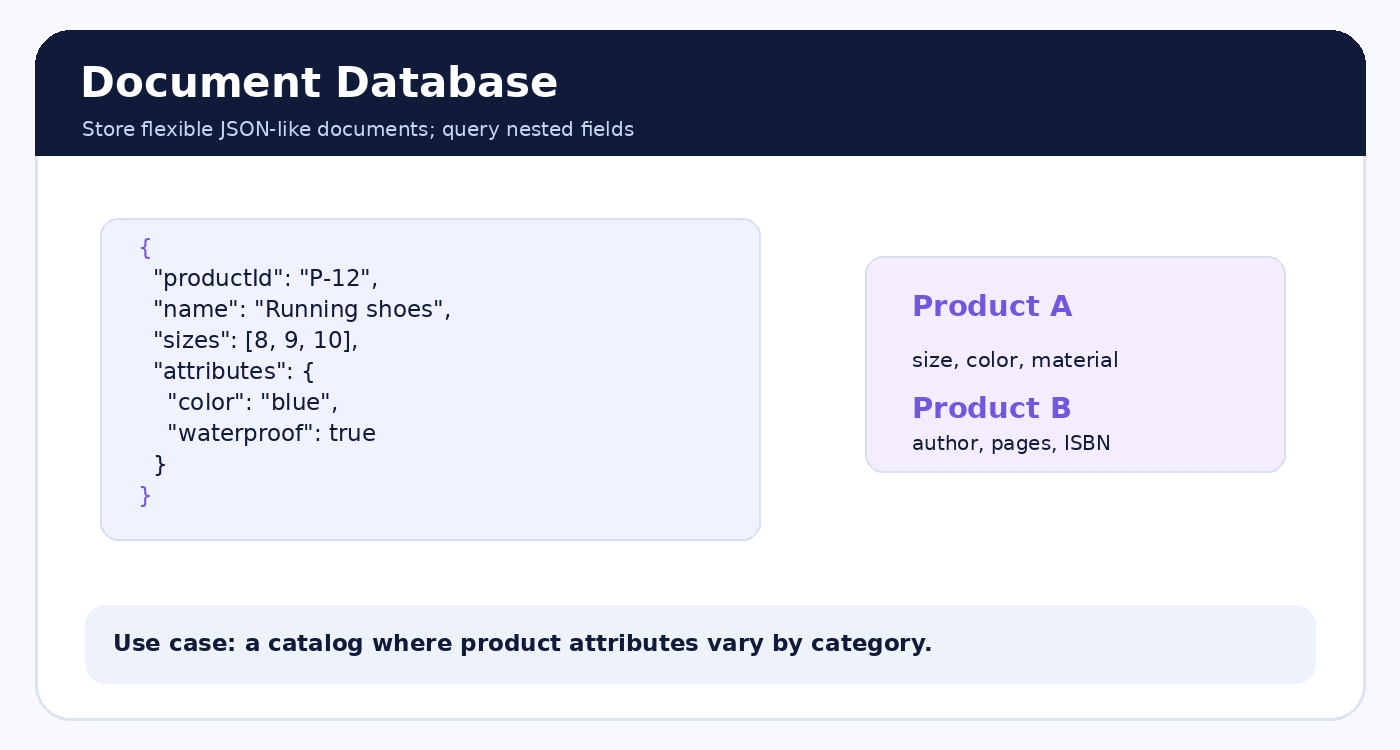
Scenario: A marketplace product catalog. Shoes have sizes and materials; books have authors and ISBNs; laptops have RAM and processor specifications.
A document database stores each product as a JSON-like document, allowing different categories to have different attributes without forcing every product into the same set of columns.
Examples: MongoDB, Couchbase, CouchDB.
Choose it when:
- Most operations retrieve or update an entire document.
- Your data has nested structures or varies significantly by record type.
- Your team benefits from changing document shapes as the product evolves.
Trade-offs:
- Duplicating information inside documents can create update-consistency problems.
- Cross-document relationships and complex joins may be less natural than in SQL.
- Flexible schemas still need validation, indexes, versioning, and migrations.
Operational notes: Decide what belongs inside a document versus in a separate collection. Monitor document size and query patterns. MongoDB supports transactions, but that doesn't mean every document workload should be modeled like a relational system.
3.3 Key-Value Databases: When You Know the Key
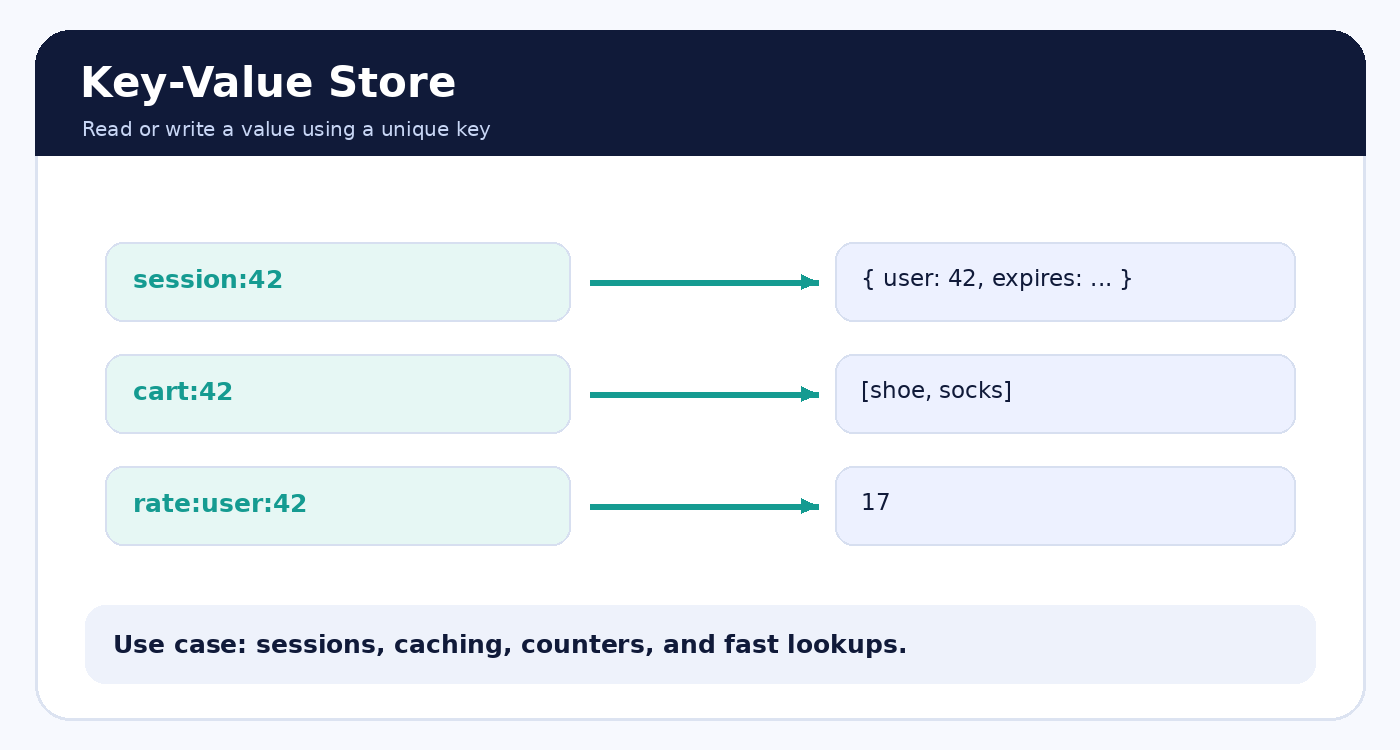
Scenario: User sessions and shopping carts. Your application frequently asks, “What session belongs to this token?” or “What's in cart 42?”
A key-value store excels when you already know the key and need to retrieve or update the corresponding value quickly.
Examples: Redis, Amazon DynamoDB. Redis is commonly used for caching and in-memory data structures. DynamoDB is a managed key-value and document database with durable storage and partition-key-based access patterns; it is not simply a Redis replacement.
Choose it when:
- Lookups are primarily by known key.
- You need cache entries, sessions, counters, rate limits, or predictable key-based access.
- You can model queries around keys and, where supported, secondary indexes.
Trade-offs:
- Arbitrary querying and relationships may be limited or expensive.
- Hot keys or poorly chosen partition keys can become bottlenecks.
- Caching introduces invalidation, expiry, and stale-data concerns.
Operational notes: Redis durability depends on configuration and deployment mode; don't assume a cache is your system of record. DynamoDB supports strongly consistent reads in supported contexts and eventually consistent reads in others; global-table replication has additional consistency considerations. Plan capacity, key distribution, TTL behavior, and recovery for the specific product.
3.4 Wide-Column Databases: When Writes Are Huge and Queries Are Predictable
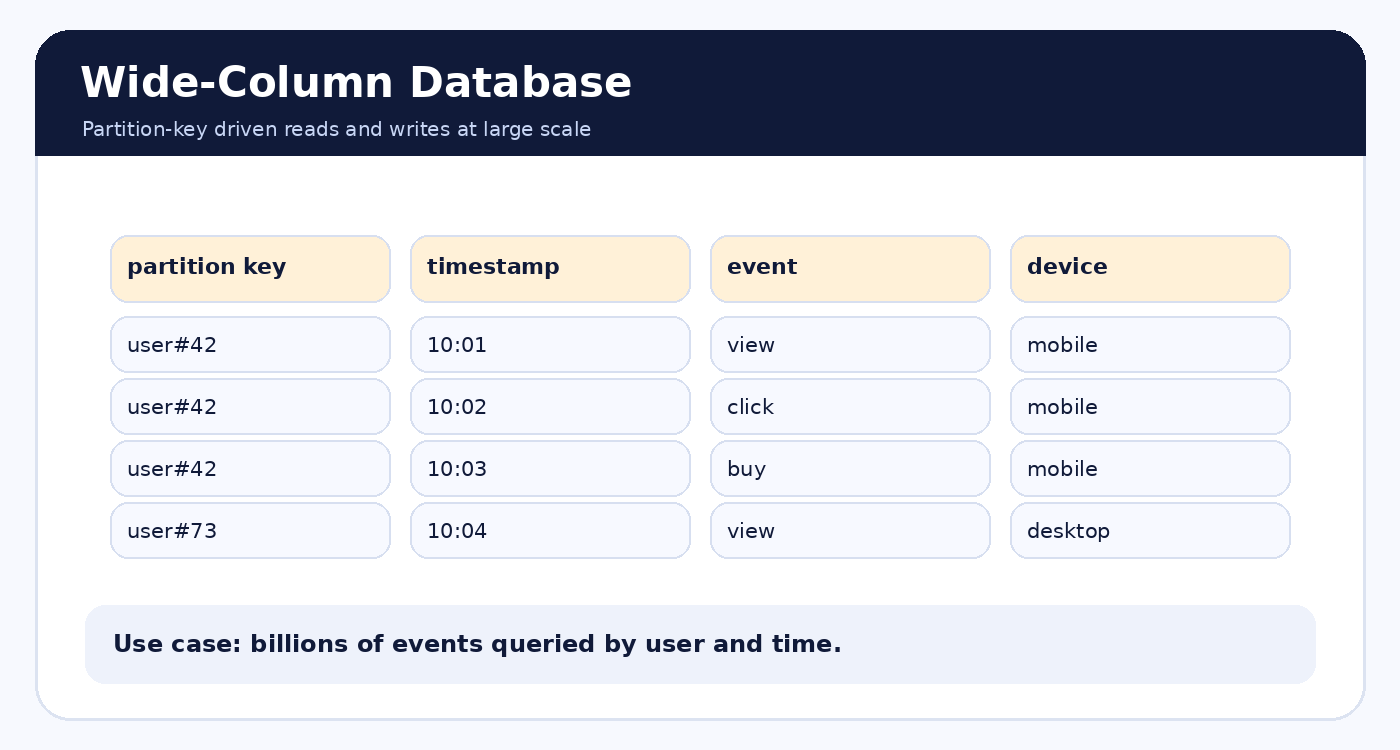
Scenario: A global activity feed. Millions of devices send events, and the application commonly requests events for one device over a time range.
Wide-column systems organize data around partition keys and clustering or sort order. You often model tables for the queries you already know rather than expecting arbitrary joins later.
Examples: Apache Cassandra, ScyllaDB, HBase.
Choose it when:
- You have very high write volume and large distributed datasets.
- Queries follow well-defined partition-key patterns.
- Availability and distribution across nodes or regions are important.
Trade-offs:
- Data modeling is access-pattern-driven; changing queries can require new tables.
- Partition imbalance, tombstones, and compaction can affect performance.
- Consistency guarantees depend on the system and read/write settings.
Operational notes: In Cassandra, replication factor and consistency level influence availability and consistency. Design partition sizes carefully, rehearse node failures, and understand repair, backup, and restore procedures.
Important distinction: A wide-column operational database such as Cassandra is not the same category as a columnar analytics database such as ClickHouse. The latter stores data by column to accelerate analytical scans and aggregations.
3.5 Graph Databases: When Relationships Are the Product
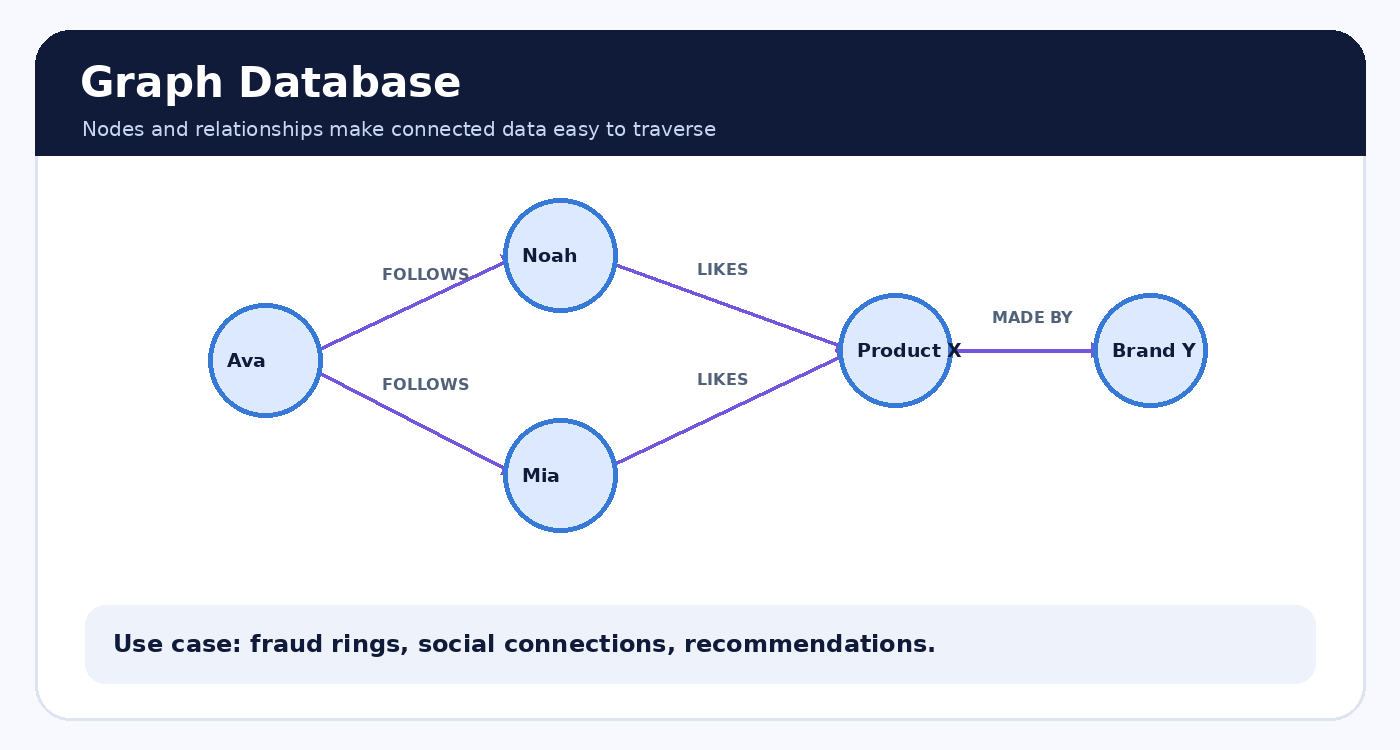
Scenario: Fraud detection. Several accounts use the same device, shipping address, and payment method. Finding suspicious networks requires traversing connections between many entities.
A graph database represents entities as nodes and connections as edges, often with properties on both.
Examples: Neo4j, Amazon Neptune.
Choose it when:
- The key question is how entities are connected.
- You need multi-hop traversals: recommendations, fraud rings, identity graphs, or dependency maps.
- Relationships change frequently and are queried directly.
Trade-offs:
- Operating a graph database adds another specialized system and skill set.
- Some workloads are easier to express as simple SQL joins.
- Large, highly connected traversals can still be expensive; graph databases aren't magically fast for every query.
Operational notes: Index starting nodes, bound expensive traversals, and understand how your chosen product replicates and backs up graph data.
3.6 Time-Series Databases: When Time Is the Main Dimension
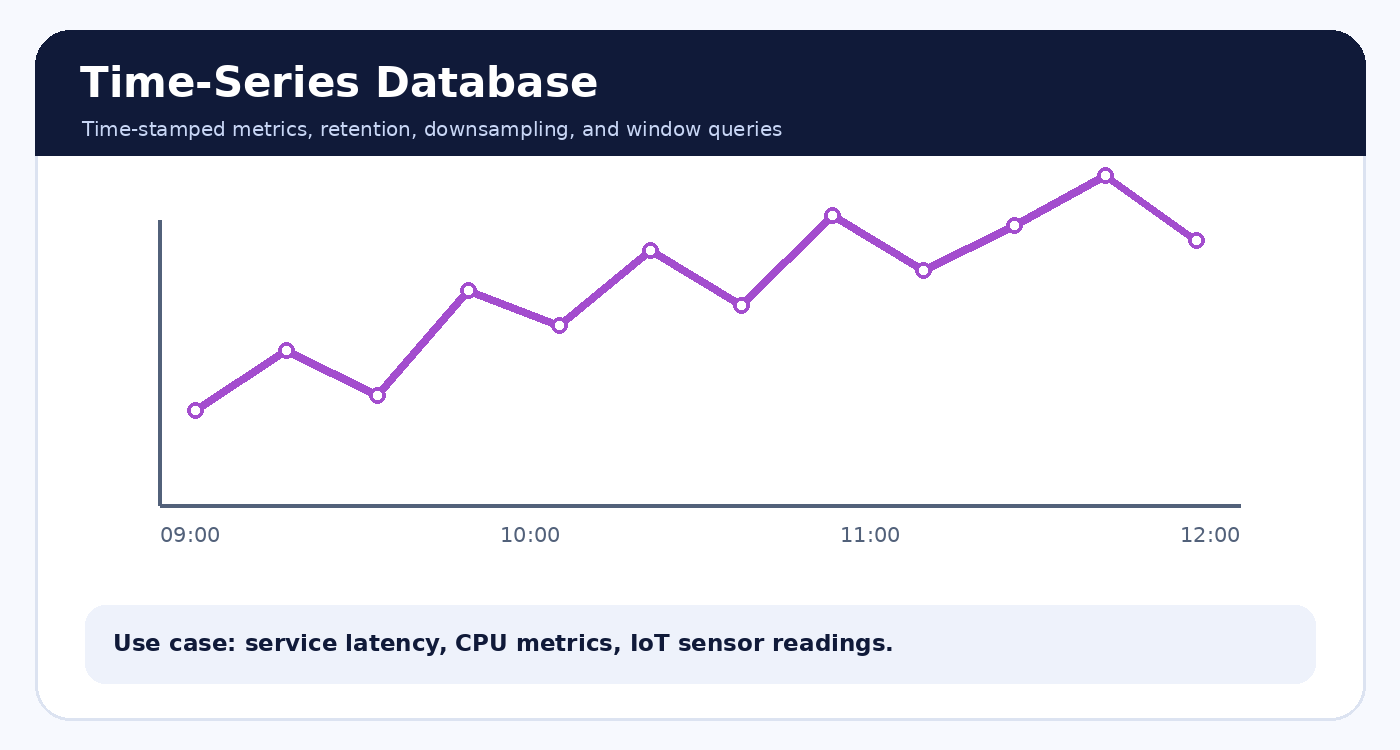
Scenario: Monitoring a fleet of servers. Every few seconds, servers report CPU, memory, request latency, and error counts. Most queries ask what changed over the last hour, day, or month.
Time-series systems are optimized for timestamped data, time windows, aggregation, retention policies, and sometimes compression or downsampling.
Examples: InfluxDB, TimescaleDB, Prometheus (primarily metrics monitoring; not a general-purpose application database).
Choose it when:
- Records are naturally ordered by time.
- You ingest many measurements and query ranges or aggregates.
- Older high-resolution data can be downsampled or deleted.
Trade-offs:
- High-cardinality labels or tags can increase memory and storage costs.
- Retention decisions may remove data needed for later investigations.
- These systems are usually not replacements for transactional order or account storage.
Operational notes: Define retention, sampling, cardinality limits, alerting, and backup requirements. If you already use PostgreSQL, TimescaleDB may offer a familiar SQL-based path.
3.7 Search Databases: When Users Need Words, Not Exact Keys
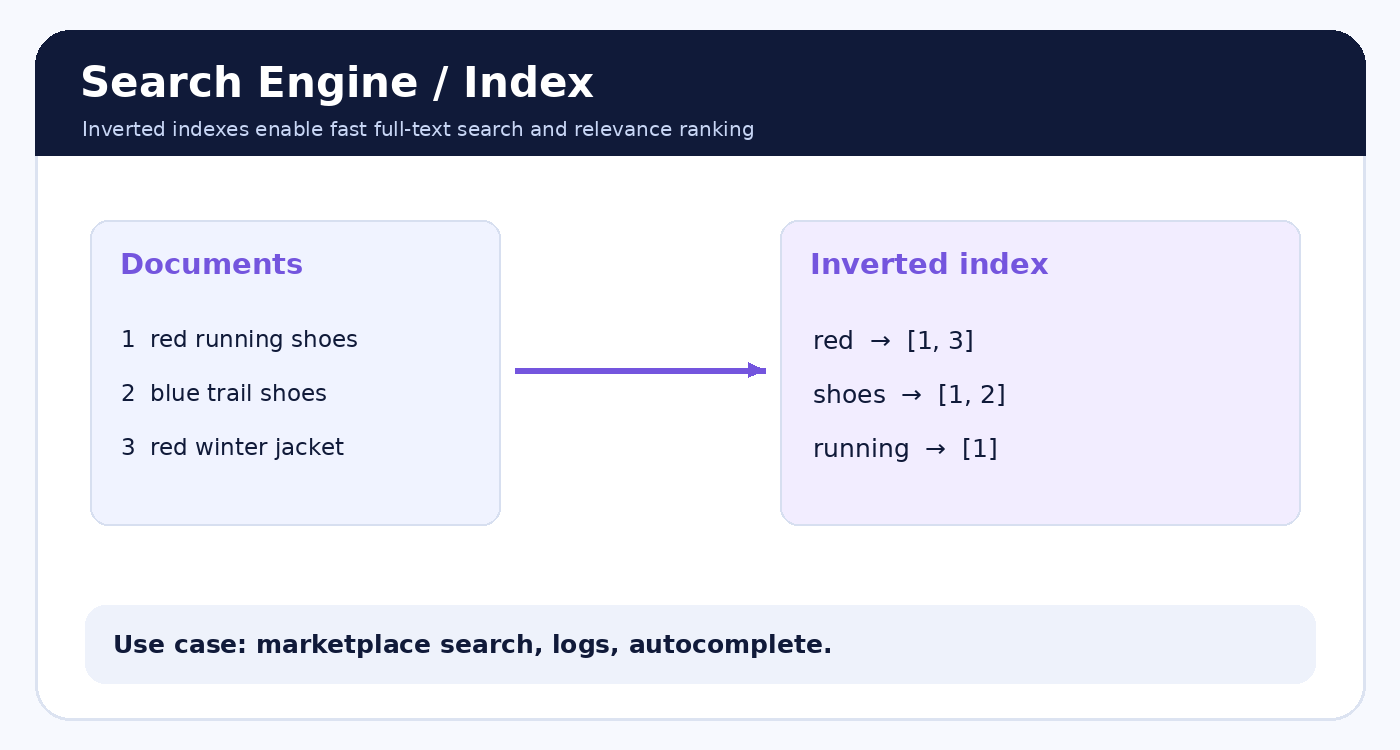
Scenario: A marketplace search box. A customer types “lightweight blue running shoes” and expects relevant results, even if the exact phrase isn't stored in a product title.
Search engines build specialized indexes for text matching, relevance scoring, filtering, and sometimes autocomplete or aggregations.
Examples: Elasticsearch, OpenSearch, Meilisearch.
Choose it when:
- Full-text relevance, typo tolerance, facets, or autocomplete are central features.
- You need interactive exploration of logs or documents.
- Database
LIKEqueries and basic indexes no longer meet requirements.
Trade-offs:
- Search indexes are often asynchronous copies of authoritative data.
- Indexing, reindexing, mappings, and cluster operations add cost.
- Search results may temporarily lag behind updates to the primary database.
Operational notes: Keep a clear source of truth, build a reliable indexing pipeline, and design reindexing so a new index can be built before switching traffic.
3.8 Vector Databases: When Similarity Matters More Than Exact Matching
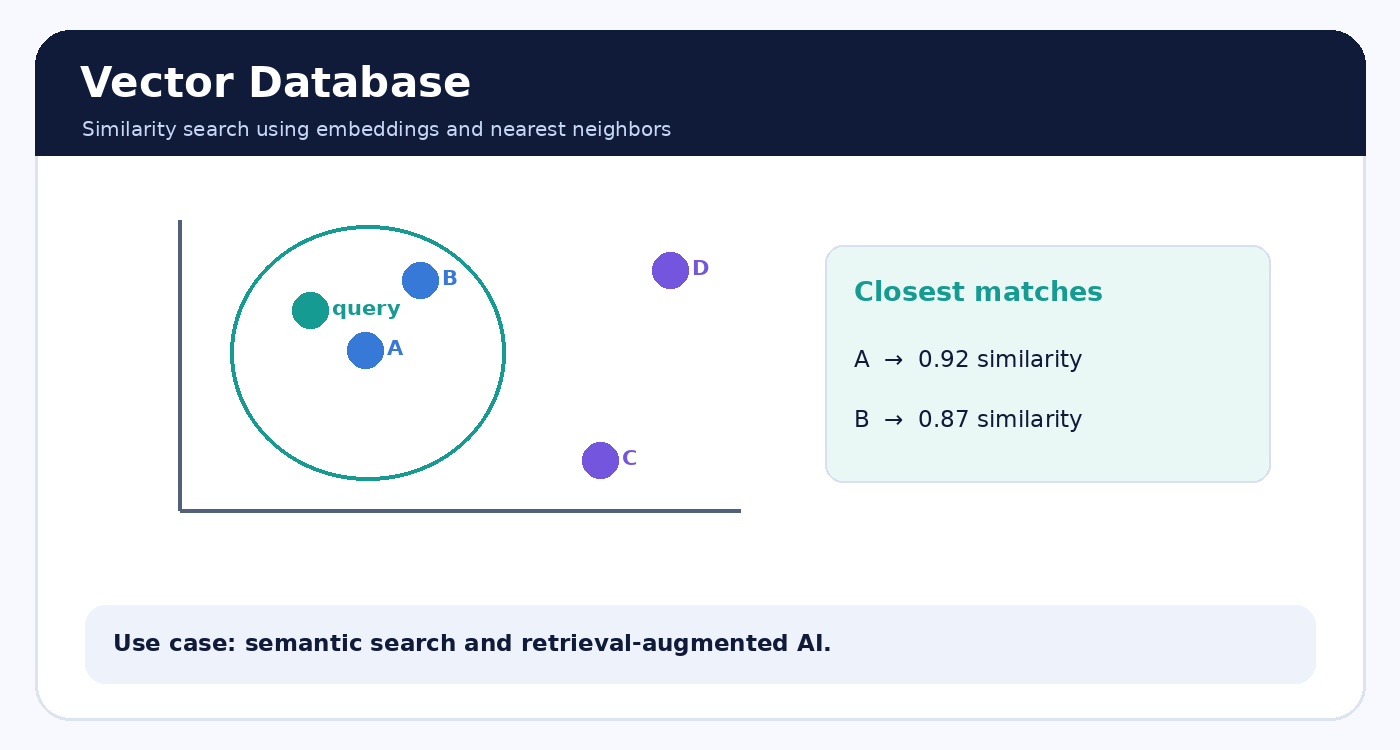
Scenario: Searching support documents by meaning. A user asks, “How do I get my money back?” and should find a document titled “Refund and return policy.”
An embedding model converts content into numeric vectors. A vector index retrieves items whose embeddings are close to the query vector, usually using approximate nearest-neighbor search.
Examples: Pinecone, Weaviate, Milvus, plus vector features in PostgreSQL with pgvector and some search platforms.
Choose it when:
- Semantic search, recommendations, or retrieval-augmented generation (RAG) are important.
- Keyword matching misses relevant content.
- You can evaluate retrieval quality on realistic user queries.
Trade-offs:
- Approximate search trades some recall for speed and resource efficiency.
- Embeddings, model upgrades, and reindexing create ongoing cost.
- Similarity does not guarantee factual correctness or appropriate access control.
Operational notes: Store source identifiers, enforce permissions during retrieval, track embedding-model versions, and measure recall, latency, and relevance before scaling.
4. A Quick Decision Matrix
| Your main requirement | Start by evaluating | Why |
|---|---|---|
| Orders, billing, inventory | PostgreSQL / MySQL | Transactions, constraints, joins |
| Flexible product attributes | PostgreSQL JSONB or MongoDB | Flexible record structure |
| Sessions, cache, rate limits | Redis | Fast key-based operations and TTL |
| Durable key-based access at scale | DynamoDB | Managed partitioned key-value/document access |
| Massive event ingestion | Cassandra / ScyllaDB | High write throughput and partition-oriented reads |
| Fraud networks or relationship traversal | Neo4j | Graph-native relationship queries |
| Monitoring and sensor metrics | TimescaleDB / InfluxDB | Time windows, retention, aggregation |
| Full-text product search | OpenSearch / Elasticsearch | Search relevance and filtering |
| Semantic document retrieval | pgvector / vector database | Embedding similarity search |
| Analytical scans across billions of rows | ClickHouse / data warehouse | Columnar analytical execution |
These are starting points, not exclusive assignments. A single relational database may handle several rows in this table very well, especially at moderate scale.
5. Scalability: More Than “Can It Handle Millions of Users?”
There are several different kinds of scale:
- Read scale: Can you serve more queries? Read replicas, caches, and CDNs may help.
- Write scale: Can you ingest more updates? Partitioning, batching, and distributing writes may help.
- Data scale: Can you store and index a growing dataset affordably?
- Geographic scale: Can users in multiple regions access data with acceptable latency?
- Operational scale: Can your team maintain, monitor, and recover the system?
Vertical scaling, replication, and sharding
Vertical scaling gives a server more CPU, RAM, or storage. It's often the simplest first step but has limits.
Replication copies data to other nodes. It can improve availability and read capacity, but asynchronous replicas may lag and replication alone does not necessarily increase write capacity.
Sharding or partitioning distributes data across partitions or nodes. It can increase capacity, but introduces challenges such as cross-shard queries, rebalancing, hot partitions, and distributed transactions.
Example: A social platform with 20 million accounts may still fit comfortably on a relational architecture if its workload is mostly indexed reads. A much smaller telemetry product might need distributed ingestion because each device writes thousands of events per day. User count alone is a poor database-selection metric.
6. Consistency, Availability, and Fault Tolerance
Strong consistency vs. eventual consistency
With strongly consistent reads, a read observes the latest completed write under the database's specified guarantees. With eventual consistency, a replica may temporarily return older data but converges if updates stop and the system operates correctly.
Relatable example: If a customer changes their profile picture, seeing the old image for a few seconds may be acceptable. If they transfer money, showing or acting on an incorrect balance can be unacceptable.
Some systems offer multiple consistency modes. Even a strongly consistent database can expose stale data when an application reads from an asynchronously replicated read replica.
What happens during a network partition?
Distributed systems must decide how to behave when nodes cannot communicate. The CAP theorem concerns the trade-off between consistency and availability during a network partition, not a blanket choice of “pick any two” in normal operation.
Ask:
- Can writes be temporarily rejected rather than risk conflicting records?
- Can users tolerate stale reads?
- How are conflicts detected and resolved after connectivity returns?
- What happens if an entire availability zone or region fails?
Fault tolerance is a design, not a checkbox
Multiple replicas are useful, but they do not automatically protect against accidental deletion, corrupt application writes, bad migrations, or compromised credentials. Those failures may be replicated too.
Plan for node failure, zone failure, region failure, operator mistakes, and data corruption separately.
7. Schema Changes and Data Migrations During Deployments
Database migrations are a common source of production incidents because application instances may run different versions during a rolling or canary deployment.
Use the expand–migrate–contract pattern
Imagine renaming full_name to display_name in a users table.
- Expand: Add the new nullable
display_namecolumn without removingfull_name. - Deploy compatible code: Update the application to tolerate both columns; if necessary, write both during the transition.
- Backfill: Copy old values into the new column in small, resumable batches.
- Switch reads: After verifying data, read from
display_namewhile keeping backward compatibility during rollout. - Contract: Only after old application versions are gone, stop writing and eventually remove
full_namein a later deployment.
-- Deployment 1: additive change
ALTER TABLE users ADD COLUMN display_name TEXT;

-- Backfill in controlled batches in production;
-- this simple example illustrates the transformation:
UPDATE users
SET display_name = full_name
WHERE display_name IS NULL;

-- Deployment 2+: only after all readers/writers are migrated
-- ALTER TABLE users DROP COLUMN full_name;
Do not run a huge, unbounded backfill like the example against a large production table. Use bounded batches, observe locks and replication lag, and make the operation restartable. The exact safe technique depends on your database.
How this differs by database type
- Relational: Schema migrations may involve locks, index builds, constraints, and backfills.
- Document: New and old document shapes may coexist; version documents or make readers backward compatible.
- Key-value: Change key naming or serialization carefully; use dual-read or dual-write transitions if needed.
- Wide-column: A new access pattern may require a new table and a historical-data backfill.
- Search/vector: Build a new index in parallel, verify it, and switch an alias or routing configuration.
Deployment rule: Never assume rolling back application code will also roll back the database safely. Prefer additive, backward-compatible migrations, and create a separate recovery plan for destructive changes.
8. Backups, Recovery, and Disaster Planning
A database that performs beautifully but cannot be restored is not production-ready.
Two terms make recovery objectives concrete:
- RPO (Recovery Point Objective): How much recent data can the business afford to lose? An RPO of 5 minutes means you must design for no more than roughly 5 minutes of lost changes.
- RTO (Recovery Time Objective): How quickly must service be restored? An RTO of 30 minutes means recovery should complete within that window.
A practical plan includes:
- Automated backups: Choose a schedule and retention policy aligned with RPO.
- Point-in-time recovery (PITR): Where supported, restore to a moment before accidental deletion or a bad deployment.
- Offsite or cross-region copies: Protect against failures that affect the primary location or account.
- Encryption and access controls: Protect both live data and backup copies.
- Restore drills: Regularly restore into an isolated environment and validate the application's critical records and queries.
- Documented runbooks: Know who makes the call, how traffic moves, and how recovery is verified.
Replication is not backup. A DELETE without a WHERE clause can propagate to every replica. A backup or PITR strategy may be the only way to recover.
9. Cost and Complexity: The Hidden Part of the Decision
Database cost is not just storage price. Consider:
- Compute, memory, storage, IOPS, and network transfer.
- Replicas, cross-region traffic, backups, and retention.
- Indexing and duplicated data in secondary systems.
- Engineers' time for upgrades, observability, on-call, and incident response.
- Vendor lock-in and the difficulty of moving data later.
For example, adding Redis can dramatically reduce repeated database reads, but introduces cache invalidation and another failure mode. Adding a search cluster improves discovery, but requires an indexing pipeline and reindexing strategy. Every new database must earn its operational cost.
10. Case Studies: What Would You Choose?
Case A: A small SaaS product for invoicing
Start with: PostgreSQL, possibly with JSONB for flexible settings.
Why: Customers, invoices, payments, and subscriptions have clear relationships and need reliable transactions. A small team benefits from one mature, managed system.
Add later if needed: Redis for caching or background job coordination, and a search engine only when full-text requirements exceed the database's built-in capabilities.
Case B: A large e-commerce marketplace
Start with: A relational database for orders, inventory, and payments; a document-friendly model for varied catalog attributes; a search index for discovery.
Why: Checkout correctness, catalog flexibility, and keyword relevance are different requirements. They don't necessarily belong in the same storage engine.
Watch out for: Search-index lag, overselling inventory, and keeping derived data synchronized. Prefer events or an outbox-based pipeline over fragile ad hoc dual writes.
Case C: A global IoT monitoring platform
Evaluate: A time-series database for metrics, or Cassandra/ScyllaDB for massive event ingestion with predictable partitioned reads.
Why: Data arrives continuously, is mostly append-oriented, and is queried by device and time window.
Watch out for: Hot partitions, retention costs, cardinality explosions, and the ability to replay missing events.
Case D: A fraud detection platform
Evaluate: Relational storage for authoritative transactions, plus a graph database when multi-hop relationship queries become essential.
Why: Financial records require integrity, while suspicious connections between users, devices, and payment instruments are naturally graph-shaped.
Watch out for: Data freshness between systems, graph traversal costs, and protecting sensitive information.
Case E: An AI-powered knowledge base
Start with: Your existing source-of-truth database plus pgvector or a dedicated vector index, depending on scale and retrieval requirements.
Why: Documents need durable storage and permissions; embeddings help retrieve related content by meaning.
Watch out for: Stale embeddings, model-version changes, retrieval accuracy, and permission filtering. A vector database does not replace your source-of-truth database.
11. A Practical Database Selection Checklist
Before committing to a database, make sure your team can answer:
- What are our five most important queries and write operations?
- Which operations require transactions or strongly consistent reads?
- What is our expected peak read/write load and growth over 12–24 months?
- Which indexes, keys, partitions, or relationships support those operations?
- How will we change schemas and backfill data without downtime?
- What happens if a node, zone, or region becomes unavailable?
- What are our RPO and RTO, and have we tested a restore?
- How will we observe latency, errors, replication lag, and storage growth?
- Can the team operate this database confidently, or should we use a managed service?
- Is the benefit worth adding another system to our architecture?
Final Thoughts
There is no universal winner between PostgreSQL, MongoDB, Redis, DynamoDB, Cassandra, Neo4j, or any other database. Each makes different trade-offs in how data is modeled, accessed, distributed, and maintained.
Choose for your domain and access patterns first. Start with the simplest system that meets your correctness and operational needs. Measure where it struggles. Add specialized databases when they solve a real problem—not because your architecture diagram looks more impressive with extra boxes.
A good database decision isn't just about how quickly you can write data today. It's about how safely you can change, scale, and recover that data years from now.